The internet is enormous. And yet most of us visit the same handful of websites every day.
Google. YouTube. Gmail. Social media. Maybe a few work platforms.
Meanwhile, hidden in ordinary corners of the web are incredibly useful websites capable of solving those tiny, annoying problems that make you think:
« There has to be an easier way to do this. »
Usually, there is.
I’m not talking about websites you’ll bookmark because they look useful and then never visit again. This list is about practical tools for situations that actually happen: transferring a huge file, fixing a PDF five minutes before a deadline, editing an image without installing software, checking whether an account may have appeared in a known data breach, or figuring out what software can replace an expensive app.
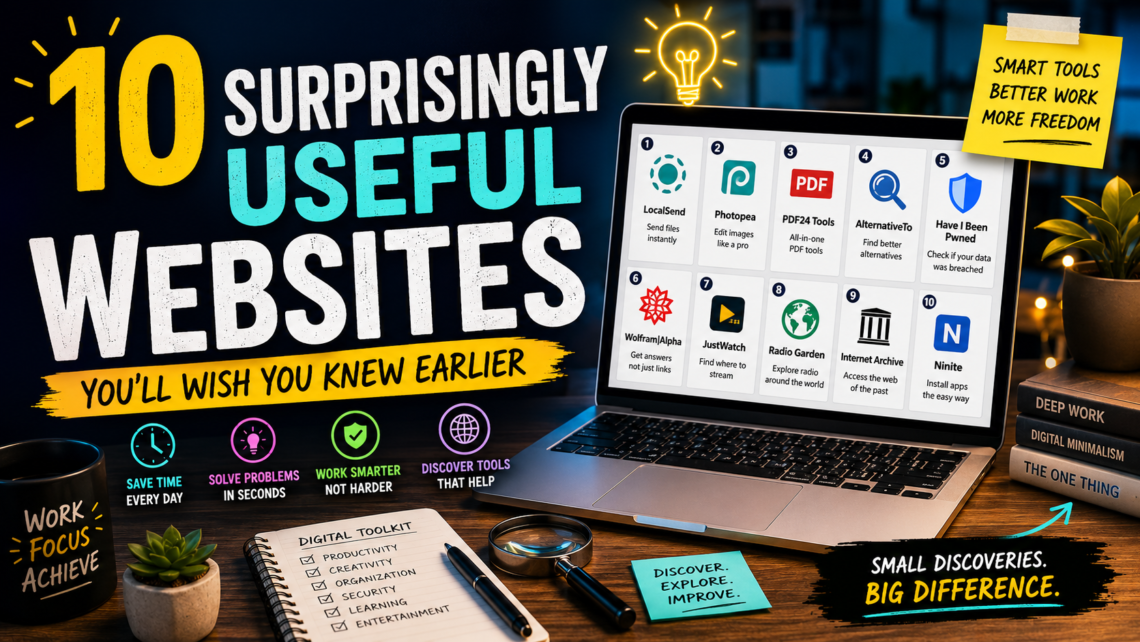
Here are 10 websites worth knowing.
1. LocalSend — When You Just Want to Send the File
We’ve somehow reached a point where sending a photo from one device to another can involve uploading it to the cloud, emailing it to yourself, opening the email on another device, downloading the attachment and wondering why this process became so ridiculous.
LocalSend takes a refreshingly simple approach.
It lets nearby devices transfer files over the local network. It works across Windows, macOS, Linux, Android and iOS, and doesn’t require an account.
That’s particularly useful if, for example, you have photos on your phone that you need on your computer.
Instead of:
Phone → cloud → internet → computer
you can essentially go:
Phone → computer.
When It’s Most Useful
You have a large video on your phone and need it on your laptop.
Or someone sitting next to you needs a folder containing hundreds of photos.
LocalSend is one of those tools whose usefulness becomes obvious the first time you need it.
Best for: Quick file transfers between nearby devices.
2. Photopea — The « Wait, This Runs in My Browser? » Website
Imagine receiving an image that needs one tiny modification.
Perhaps the dimensions are wrong.
Maybe you need to add text.
Perhaps somebody sent you a PSD file.
Installing professional image-editing software for a five-minute task feels excessive.
That’s where Photopea becomes extremely useful.
It is an advanced browser-based image editor capable of working with raster and vector graphics. You can use it for simple jobs such as resizing an image or for considerably more sophisticated editing.
What makes it especially interesting is that the editor runs on your device rather than requiring your files to be uploaded for processing.
A Real-Life Example
Imagine you’re publishing an article and discover that its featured image is the wrong size.
You don’t need an entire design workflow.
Open the image.
Resize it.
Make the adjustment.
Export.
Done.
Best for: Bloggers, students, creators and anyone who occasionally needs serious image editing without installing a full desktop editor.
3. PDF24 Tools — The Emergency Room for PDFs
There are few sentences more dangerous in modern office life than:
« Can you just make one small change to this PDF? »
Because it is almost never one small change.
You need to merge two PDFs.
Then remove page 17.
Then compress the result because the attachment is too large.
Then someone asks you to convert another document.
Then you question every decision that led you to this moment.
PDF24 provides a large collection of browser-based PDF utilities covering tasks such as merging, splitting, compressing, editing, converting, extracting pages, OCR, adding page numbers and more.
Why It’s Worth Remembering
You don’t necessarily need a dedicated application for every occasional PDF problem.
Having one place that handles many common tasks is much easier.
One Important Rule
Be sensible about what you upload to any online document-processing service.
For confidential, legally sensitive, medical, financial or company-restricted documents, follow your organization’s security requirements and prefer approved local tools where necessary.
Best for: Everyday PDF emergencies.
4. AlternativeTo — Before You Pay for Another Subscription
Suppose you discover a useful program. You like it. Then you see the price.
Before automatically reaching for your credit card, there is a question worth asking:
« Is there another tool that does what I need? »
That’s the idea behind AlternativeTo.
Instead of searching Google for vague phrases like:
« free program similar to… »
you can search for a specific application and explore alternatives.
This becomes particularly valuable when your digital life slowly accumulates subscriptions.
Ten dollars here.
Eight dollars there.
Fifteen dollars somewhere else.
Suddenly your « cheap » software collection has become another monthly bill.
The Better Way to Use It
Don’t automatically choose the cheapest alternative.
First identify the feature you actually need.
Then compare alternatives based on that requirement.
Sometimes paying for the original software is absolutely worthwhile.
Other times, you discover you’ve been paying for twelve features while using exactly one.
Best for: Finding alternative software before committing to another subscription.
5. Have I Been Pwned — A Website You Hope Has Nothing Interesting to Tell You
Data breaches happen.
And sometimes an email address you’ve used for years appears in compromised datasets without you realizing it.
Have I Been Pwned is designed to help people check whether their email address has appeared in known breaches.
This isn’t the most entertaining website on the list.
It may, however, be one of the most important.
What Should You Do If You Find Something?
Don’t panic.
A breach result doesn’t automatically mean somebody currently has control of your account.
Instead, treat it as a reason to review your security:
Use unique passwords.
Change compromised or reused passwords where appropriate.
Enable multi-factor authentication where available.
And consider using a reputable password manager.
One Habit Worth Adopting
Never reuse an important password across multiple services.
If one service is compromised, password reuse can turn one incident into several compromised accounts.
Best for: Basic digital-security awareness.
6. Wolfram|Alpha — When Search Isn’t Really What You Need
Sometimes you don’t want ten websites explaining something.
You want an answer.
Wolfram|Alpha is particularly useful for computational questions involving mathematics, science, units, data and other structured information.
It’s different from a traditional search engine.
A search engine primarily helps you find information that exists elsewhere.
A computational engine attempts to work with the information and produce an answer.
Where It Becomes Useful
Need to solve or inspect a mathematical expression?
Compare quantities?
Convert unusual units?
Explore scientific information?
This is the kind of tool worth remembering.
It’s especially useful for students, researchers and curious people who regularly ask questions that begin with:
« What happens if… »
Best for: Mathematics, calculations, scientific queries and structured data.
7. JustWatch — Stop Searching Every Streaming App Individually
You want to watch a particular movie.
Simple.
Except you don’t know which streaming service has it.
So you open one platform.
Nothing.
Another.
Nothing.
A third.
Still nothing.
By the time you find the movie, you’ve spent so long searching that you no longer want to watch it.
JustWatch helps users discover where movies and television shows are available across supported streaming services and markets.
Why This Is More Useful Than It Sounds
Modern streaming fragmented entertainment across many platforms.
The problem isn’t finding something to watch anymore.
It’s finding where the specific thing you want to watch is available.
That’s a very different problem.
Best for: Finding where a movie or series is available without manually searching multiple platforms.
8. Radio Garden — Spin the Globe and Listen Somewhere Else
Not every useful website needs to make you more productive.
Some should simply remind you that the internet can still be delightful.
Radio Garden lets you explore radio stations geographically around the world.
You move around a globe, choose a location and listen.
One moment you’re hearing a station in London.
Then Tokyo.
Then Buenos Aires.
Then a tiny place you had never heard of ten seconds earlier.
It’s difficult to explain why this is so enjoyable until you try it.
Why I Included It
Useful doesn’t always mean « helps you work faster. »
A website can be useful because it expands curiosity.
Radio can expose you to languages, music, conversations and cultures you would never deliberately search for.
Best for: Music discovery, language exposure and wonderfully random internet exploration.
9. Internet Archive — A Time Machine Disguised as a Website
The internet constantly changes.
Pages disappear.
Websites are redesigned.
Articles are deleted.
Companies vanish.
Links break.
The Internet Archive preserves an enormous amount of digital material, and its Wayback Machine allows you to explore archived versions of many webpages.
Here’s When It Becomes Fascinating
Remember a website from years ago?
Try finding an old version.
Researching how a company’s website changed over time?
Look through previous snapshots.
Encountered a dead link while researching something?
An archived version may exist.
It turns something we normally consider temporary — the web — into something closer to historical evidence.
A Warning
An archived page isn’t automatically accurate simply because it is old.
Treat archived material as historical material and evaluate it accordingly.
Best for: Research, web history and occasionally rescuing information from vanished pages.
10. Ninite — The Website You Remember When Setting Up a Windows PC
A fresh computer feels wonderful.
For approximately five minutes.
Then you remember you need to install everything.
Browser.
Media player.
Compression utility.
Communication software.
Developer tools.
And suddenly you’re visiting website after website, finding download buttons and running installers.
Ninite was built around a wonderfully simple idea: select multiple supported Windows applications and create an installer that handles them together.
When It Shines
Setting up a new Windows PC.
Helping a family member configure a computer.
Reinstalling Windows.
Preparing another machine with familiar everyday applications.
It’s not something you’ll necessarily use every week.
But when you need it, you’ll be very glad you remembered it.
Best for: Quickly setting up common software on Windows.
The Bigger Lesson: Build Your Own Internet Toolbox
The real point of this list isn’t to bookmark ten websites.
It’s to change the way you think about small digital problems.
Whenever you catch yourself performing a repetitive, unnecessarily complicated task, stop for a moment.
Ask:
« Has somebody already built a tool for this? »
Very often, the answer is yes.
The best tools don’t necessarily transform your entire life.
Sometimes they simply remove five annoying steps from something you do repeatedly.
And those tiny improvements accumulate.
A file transfer that takes 20 seconds instead of five minutes.
A PDF problem solved without searching for software.
An image fixed directly in the browser.
A forgotten webpage recovered.
A movie found without opening six apps.
Individually, none of these things sounds revolutionary.
Together, they make the internet feel useful again.
One More Tip: Don’t Bookmark Everything
There is a strange productivity trap where people collect tools instead of using them.
You don’t need 300 bookmarks.
Create one folder called something like:
Useful Tools
Then save only websites that solve a problem you genuinely encounter.
Over time, you’ll create your own tiny digital toolbox.
And unlike a giant list of « 500 websites everyone should know, » you’ll actually remember what’s inside it.
Final Thoughts
The best websites aren’t always the ones we visit every day.
Sometimes they’re the ones that solve one very specific problem extremely well.
LocalSend can simplify file transfers.
Photopea can rescue an image-editing job.
PDF24 can save you during a document emergency.
AlternativeTo can help you rethink another subscription.
Have I Been Pwned can encourage better security habits.
Wolfram|Alpha can tackle questions that ordinary search doesn’t handle elegantly.
JustWatch can end the streaming scavenger hunt.
Radio Garden can turn five spare minutes into a trip around the world.
The Internet Archive can take you backward through the web.
And Ninite can make setting up a Windows computer considerably less annoying.
You probably won’t need all ten tomorrow.
But eventually, you’ll encounter one of the exact problems they solve.
And when that happens, you’ll hopefully remember:
« Wait. I know a website for that. »